Here's how to convert various file formats into PDFs.
- In Google Docs, open the file you want to convert to a PDF document. Click on File, then select Download, and choose PDF Document (.pdf).
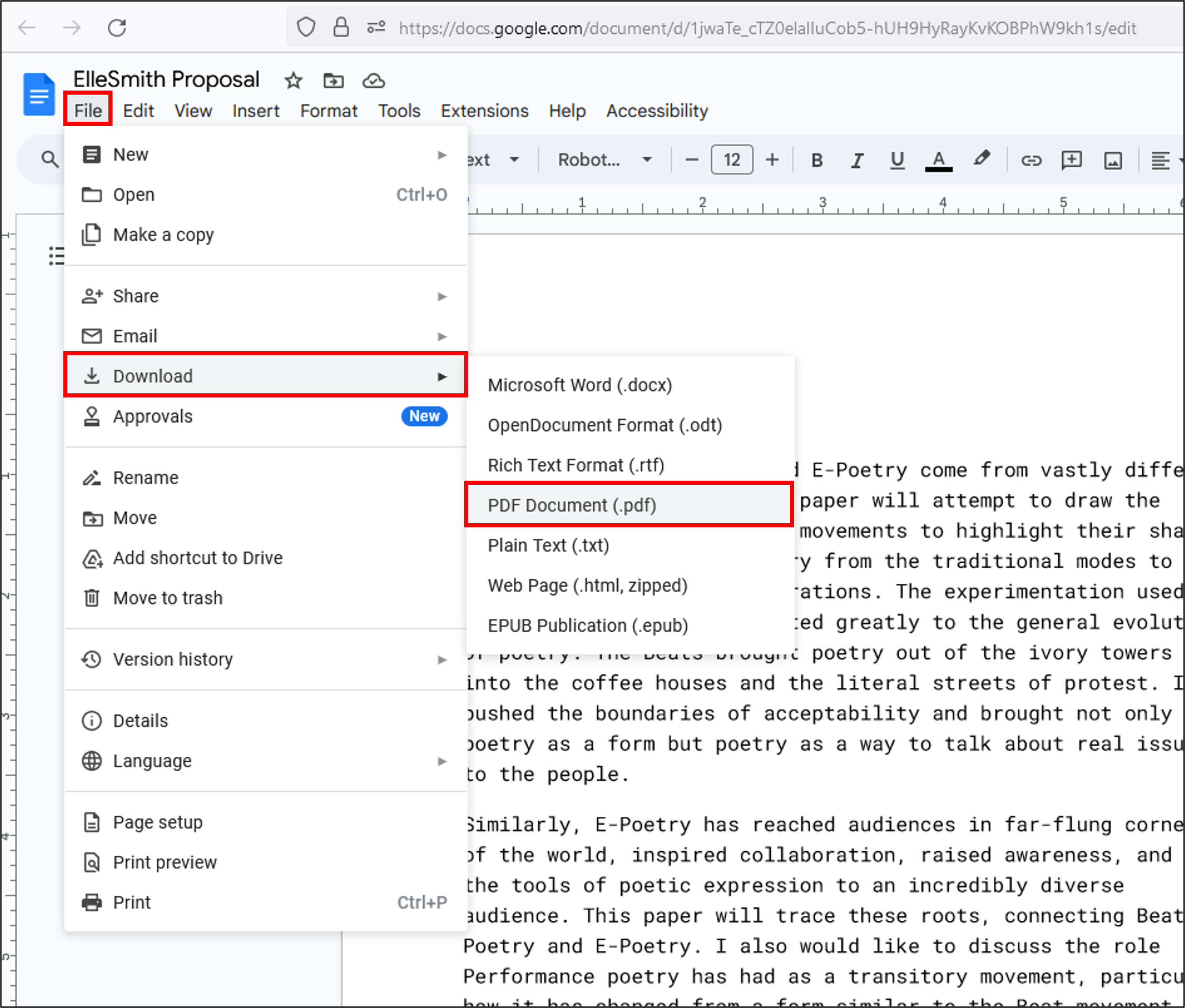
- Open your Downloads folder to find the PDF.

|
- Open your document in Word and click File.

- Click Save As.

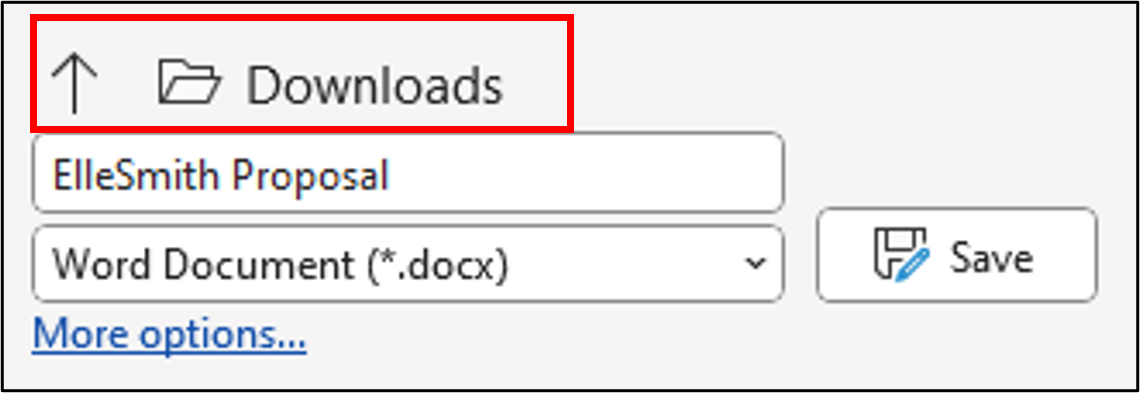
- The folder indicated above the document name, is where your file can be found after it is saved.
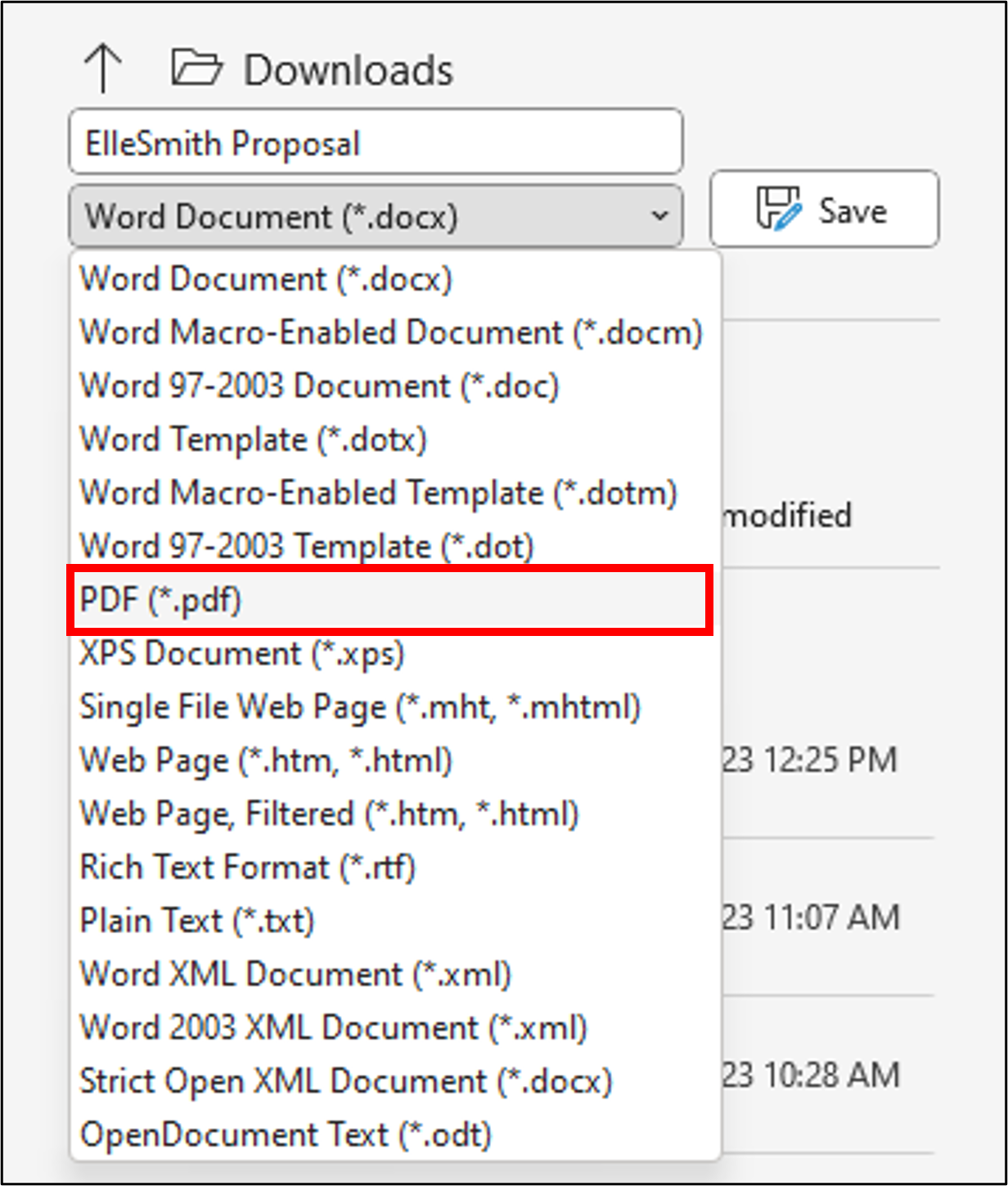
- Click the down arrow in the document type drop-down menu, select PDF, and then click Save.
|
- Navigate to the webpage you want to save as a PDF.
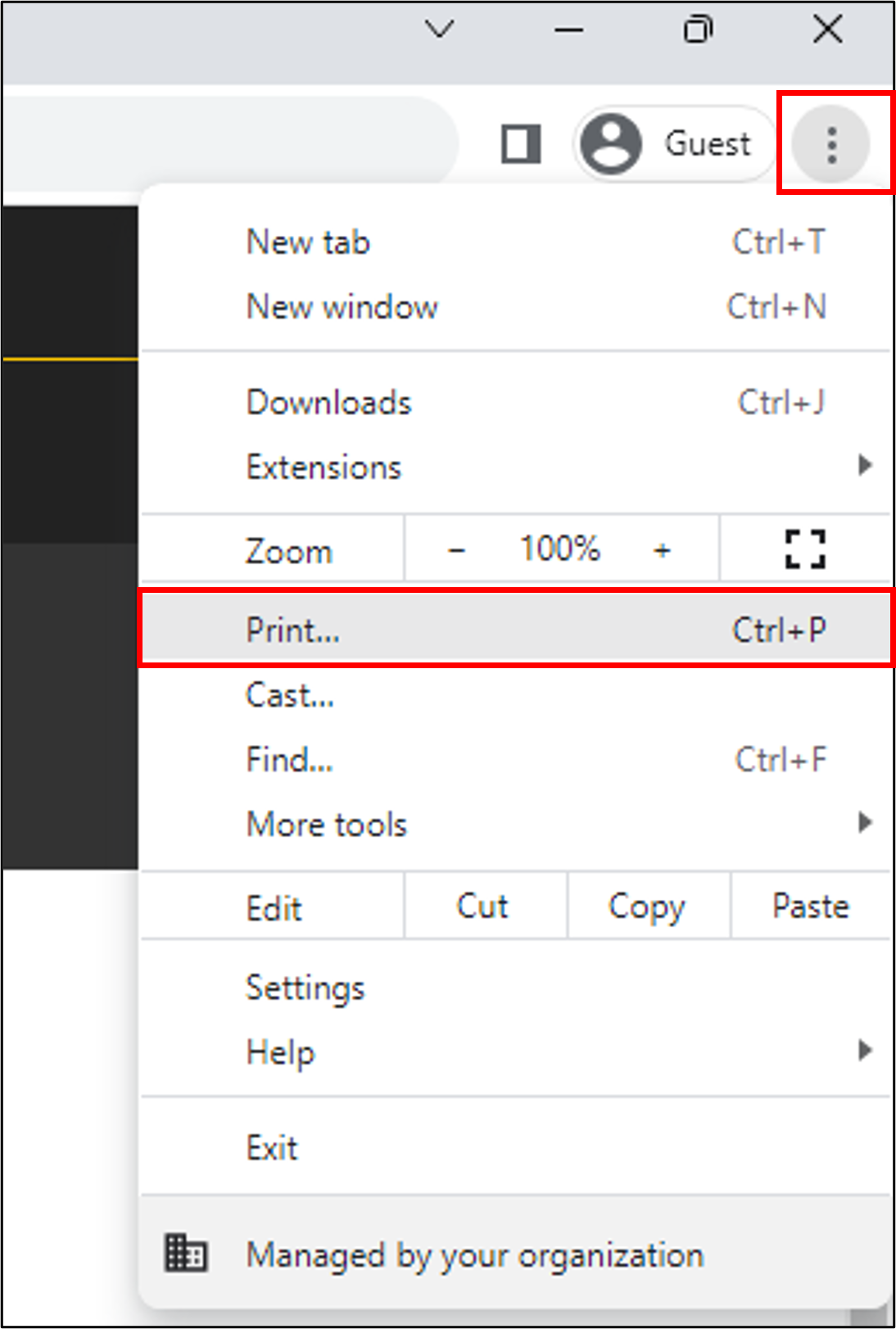
- In Chrome, click the three-dot icon at the top right of your browser (for Firefox, click the three vertical bars ) and then click Print (For Safari, click File, then Print).
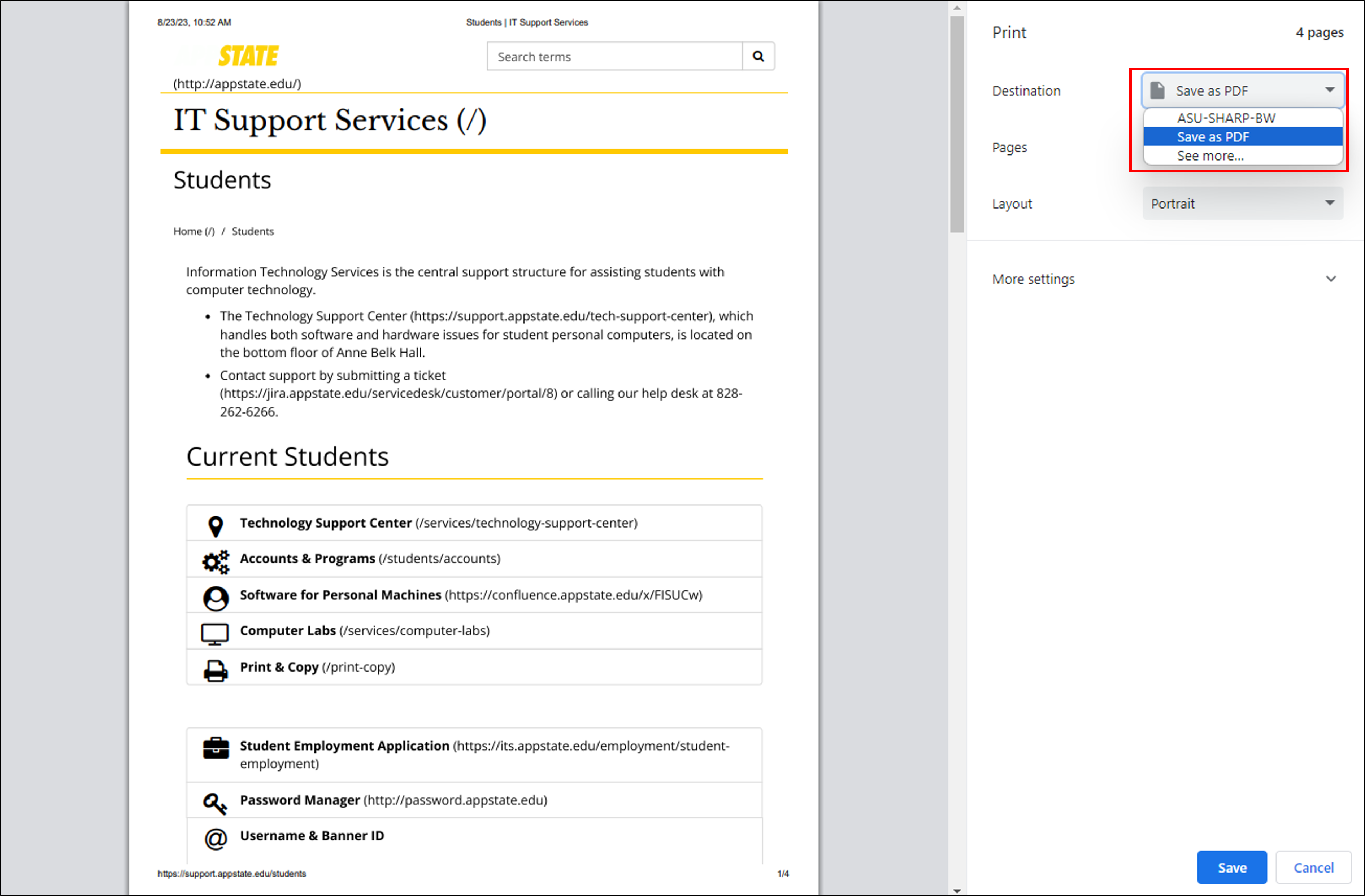
- In the print settings, select Save as PDF from the Destination drop-down menu, and then click Save.
- In the pop-up dialog box, choose where you want your PDF to be saved on your device, and then click Save.

|