A personal email address for password recovery may be used for account verification, especially in situations where you are unable to access your university email (i.e., or fail to set a new password on time).
Keeping this information up to date helps protect your account and ensures you can regain access quickly if needed.
Step-by-step guide
Follow these steps to add or update an account recovery email:
- Log in to Banner Self-Service via appalnet.appstate.edu.
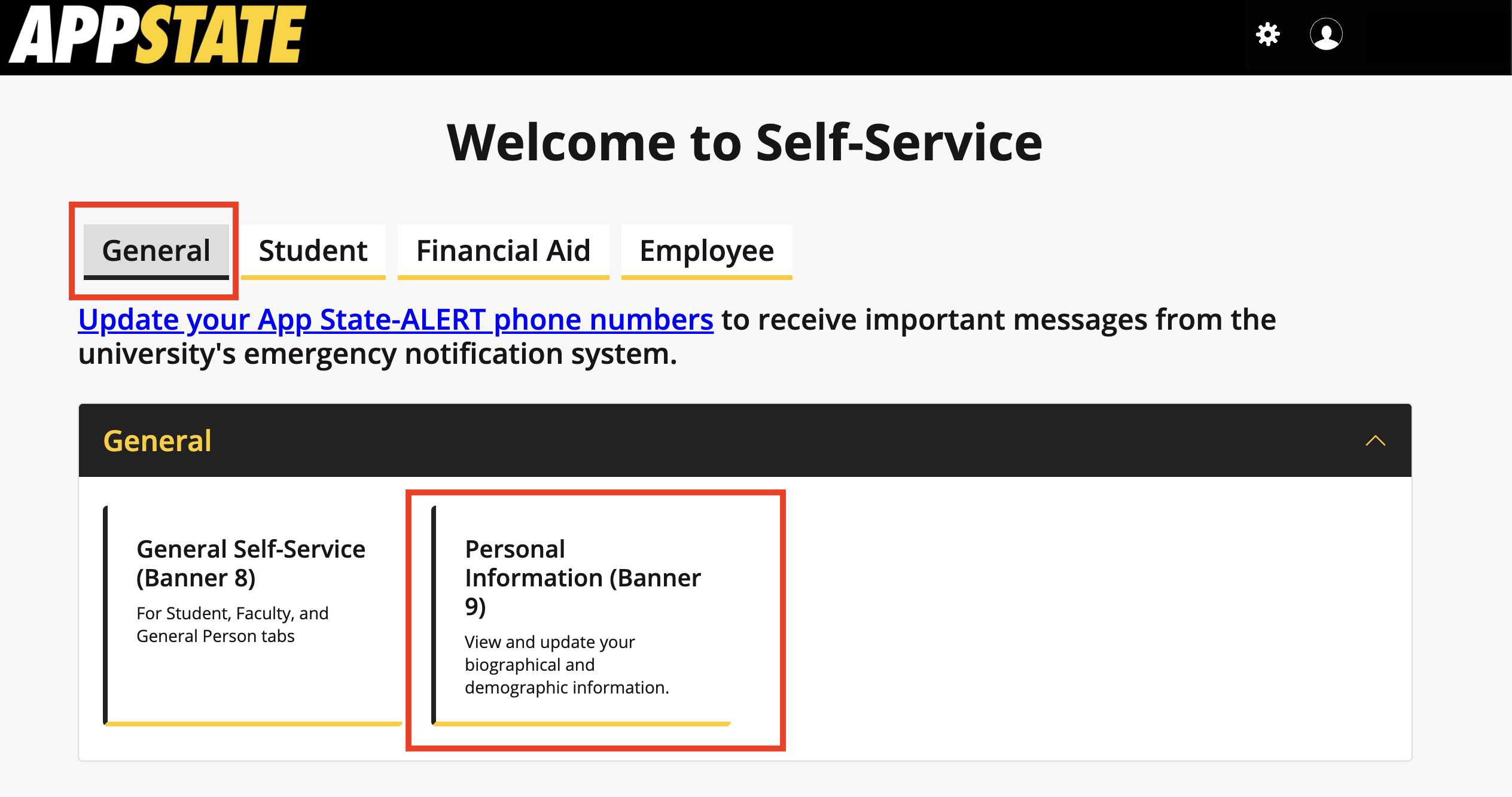
- Under the General tab in the top menu, click Personal Information (Banner 9).
- To add a new email:
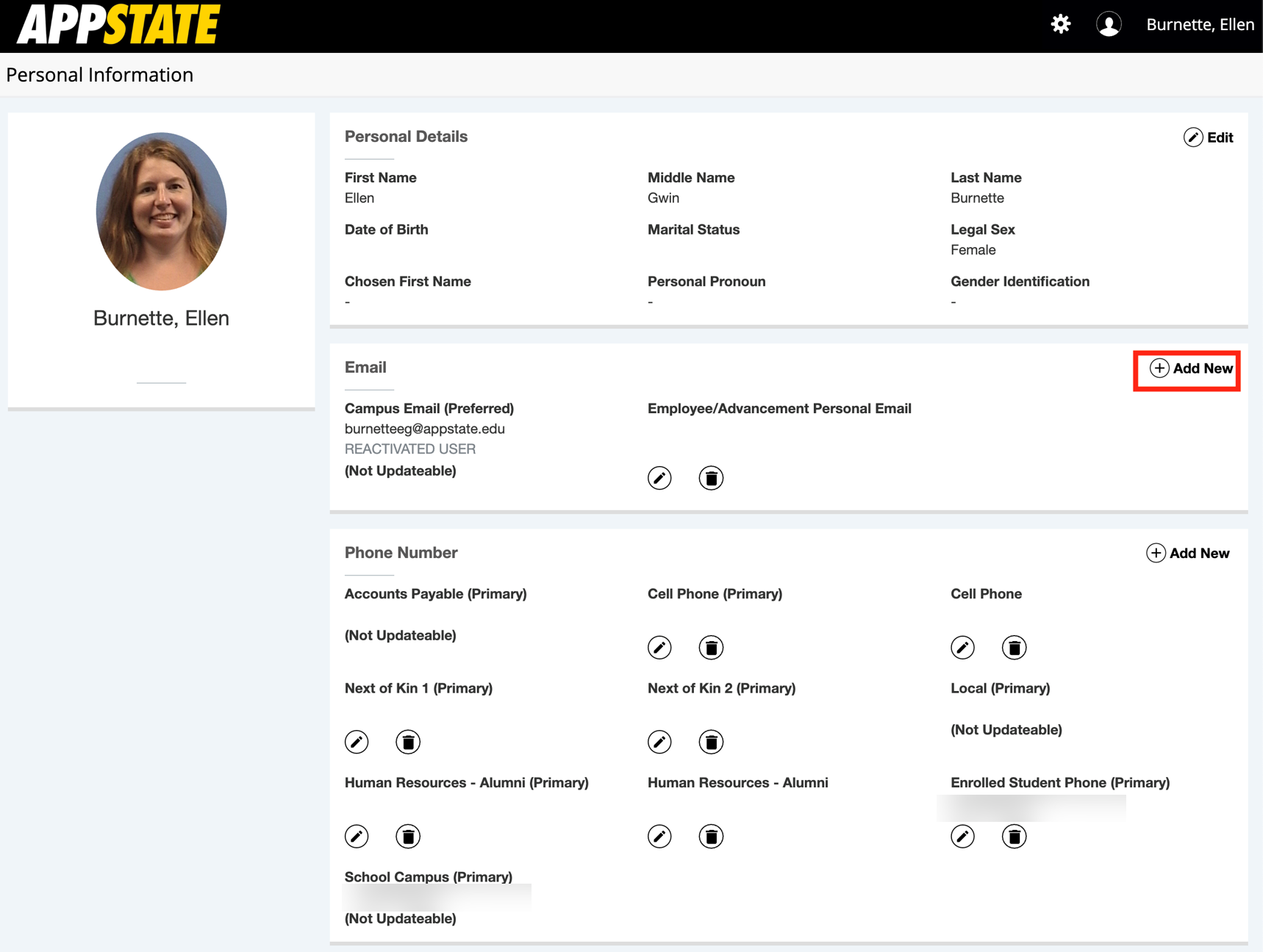
- Click the plus sign in the far right corner,
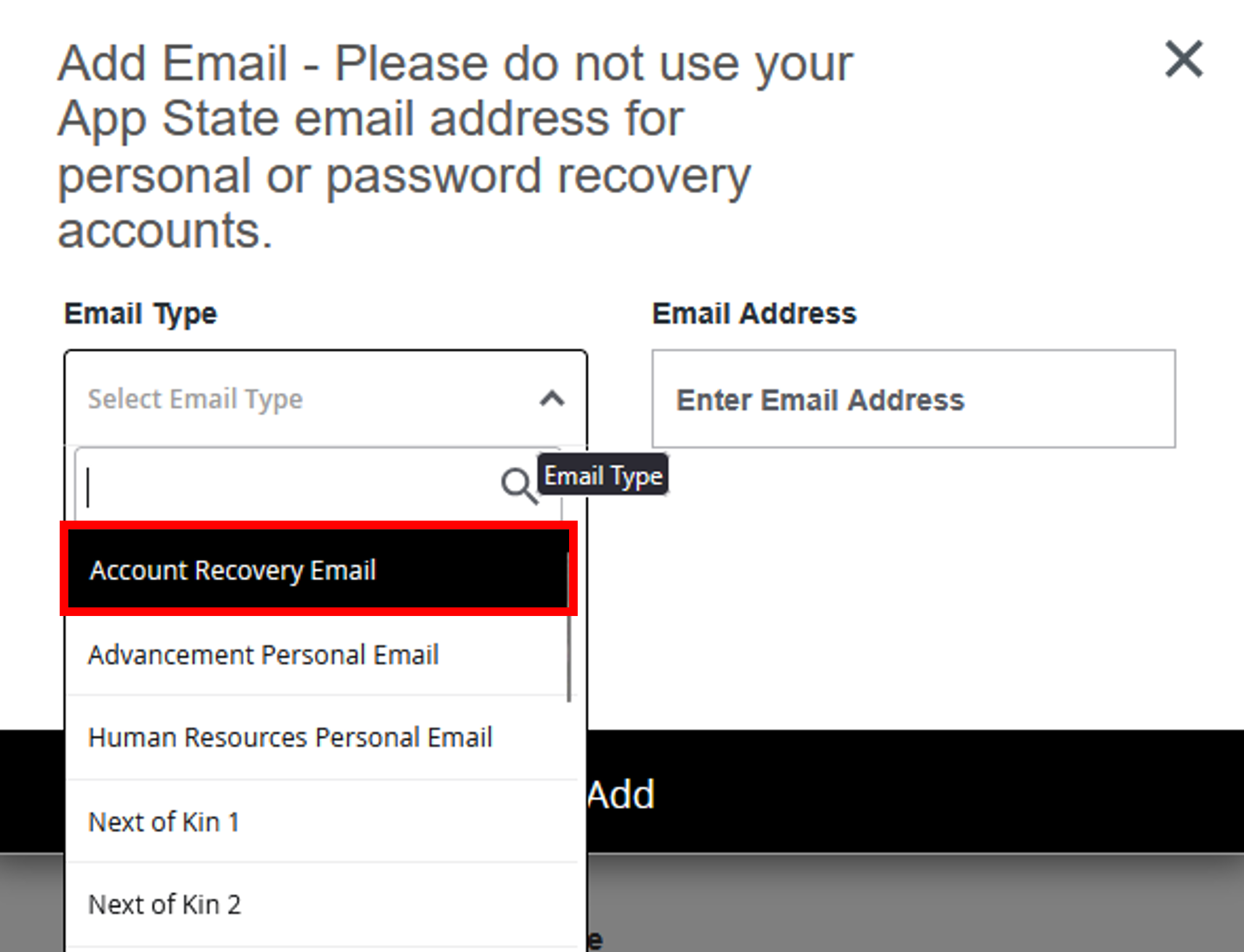
- Select Account Recovery Email from the Email Type drop-down list.
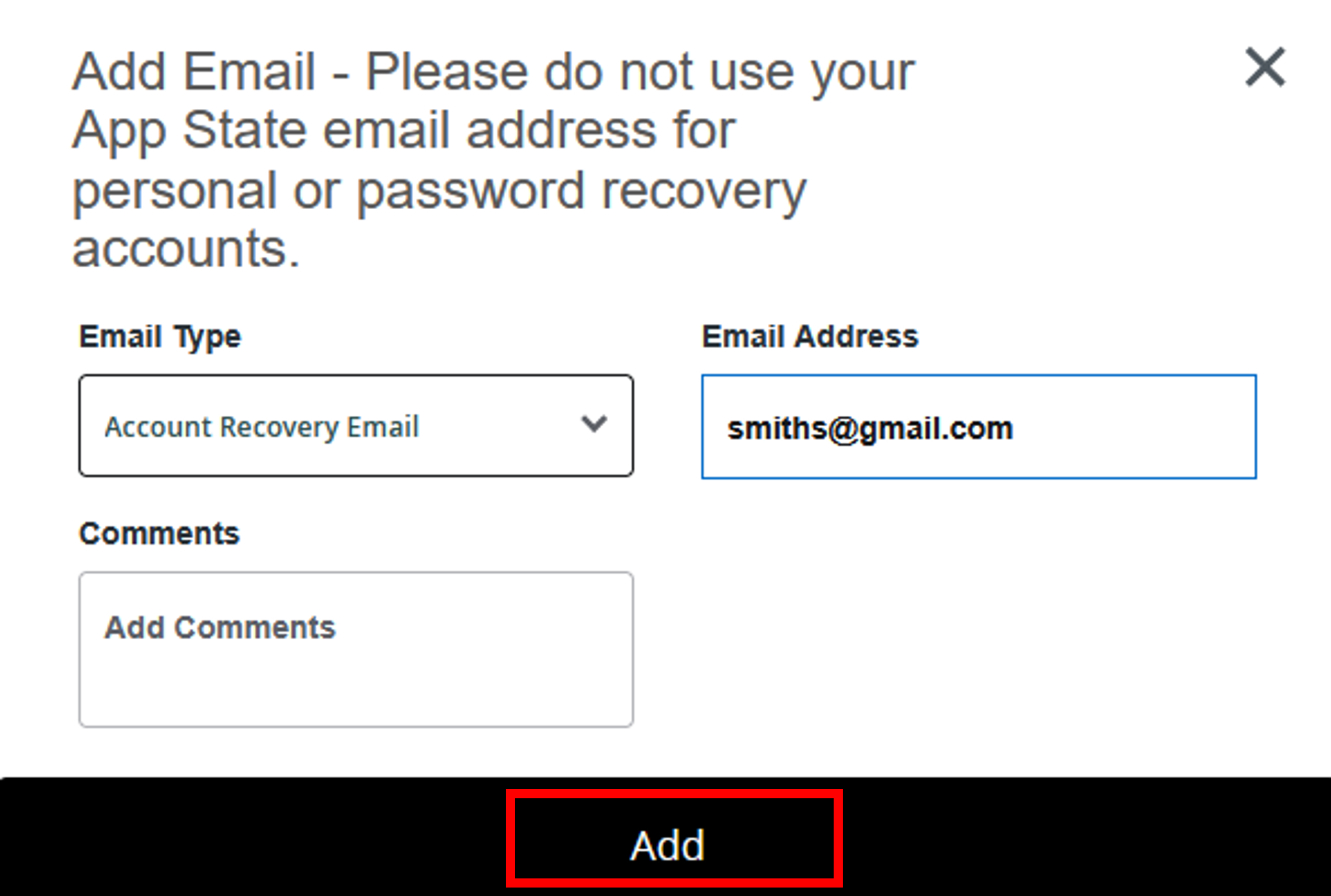
- Enter your email address and click Add.
- Click the plus sign in the far right corner,
To edit an existing email
- Click the pencil icon, under Account Recovery Email, to make changes.
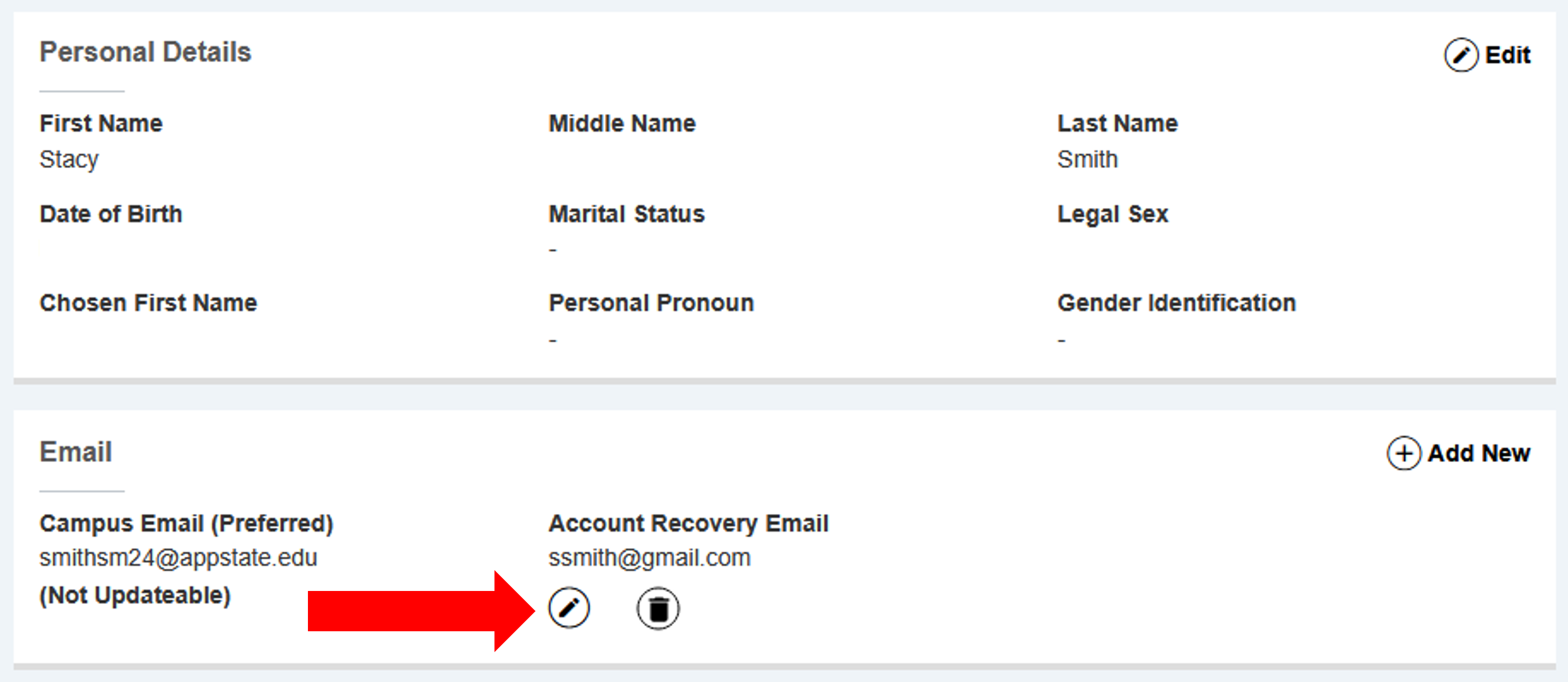
- Click the pencil icon, under Account Recovery Email, to make changes.
While making this update or addition, check that other information on file is accurate.
App State emails and assigned phone numbers are non-updatable.