Generic accounts have a primary owner - a user responsible for forwarding addresses, updating the password, and general oversight of the account. There may be an occasion when that owner needs to be changed. You should change the owner if the original owner has left the university or started another position unrelated to the account need. You may also use this process to revive an inactive account.
To get started, go to the Google Assistance Request Jira page. If you are not logged into Appalachian State, you will be prompted to do so.
- Enter the requesting contact information. The requester will default to your account. If you are requesting on someone else's behalf (e.g., your supervisor), then click on the field and search for their account. Next enter the preferred contact phone number. Include the 10-digit number if off campus or use the 5-digit number to reach an office phone.

- Select Google Account Assistance
Select Google Account Assistance from the Type of assistance needed drop-down box.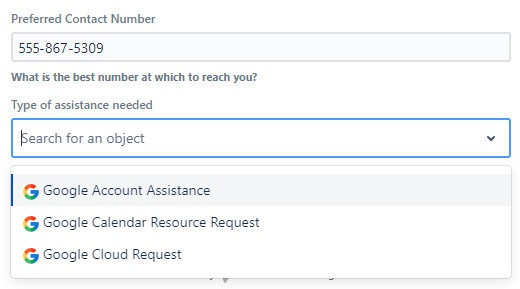
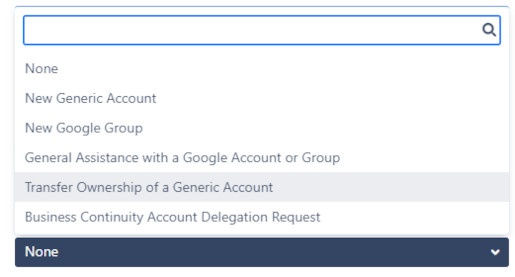
Select Transfer Ownership. Click on the Account Request Type drop-down box and choose Transfer Ownership of a Generic Account.
Enter the previous and new user names.
Enter the previous primary owner's user name. Note this is NOT a search field, so double-check your spelling.
- The next field is a search field, so start typing a user name to receive a list of matches. Choose the user who will assume responsibility for the Generic Account.

Enter the name of the Generic Account.
Before submitting, enter the Generic Account title, match it from the drop-down menu, and select it.

Your final step is to click the Create button. You will likely receive a confirmation call or email. If this is a departmental Generic Account, be sure the dean, director, manager, etc., is aware of your request.
If you have any problems with the process, contact the Help Desk at 828-262-6266.