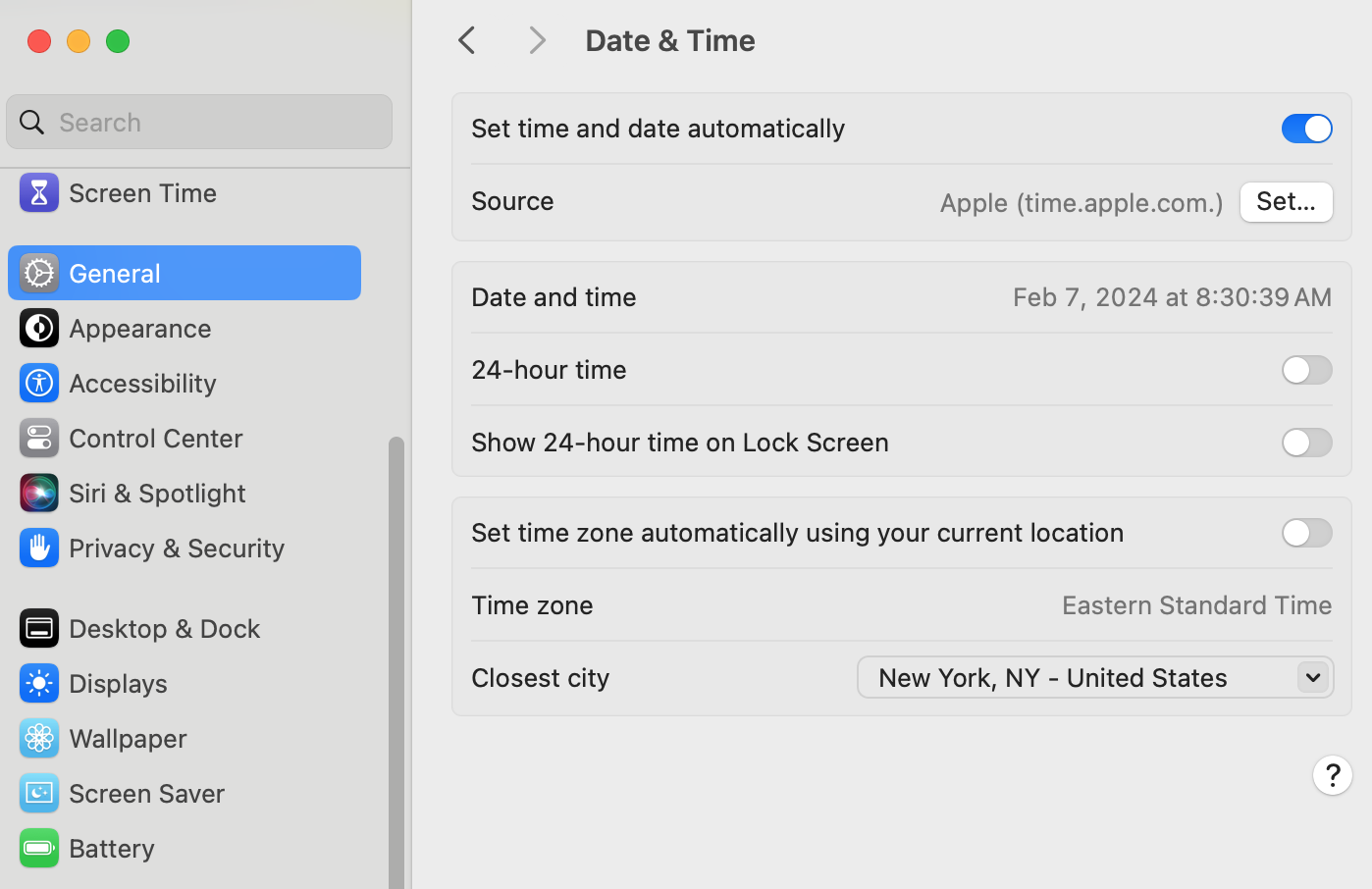
Refer to "Terminal Commands for Troubleshooting" for commands to adjust the Date & Time settings.
Terminal Commands for Troubleshooting#AppleTerminalCommands
These instructions are not currently valid since the control for "Set time and date automatically" is disabled by policy.
Date and time can get out of sync on Mac computers, which causes issues with connecting to asu wifi and other systems and settings.
- In the upper-right corner of your screen, click on the circle with the checkbox and select Request administrator access.

- From the Apple menu in the upper left corner, Open System Settings > General > Date & Time
- Disable Set time and date automatically toggle switch, then set the date and time manually.
- Once it's set, enable Set time and date automatically toggle switch, using Apple (time.apple.com) as your source.
Your settings should then look like the image below.