While AI notetakers and transcription services can be helpful, the use of unauthorized third-party tools like Read.ai, Fireflies.ai, and others poses potential risks to data security, privacy, and data sovereignty. These services may store or process data outside of university-approved environments, which could lead to unintended exposure of sensitive information. If you have found that one of these services has been initiated on your account and is attending meetings on your behalf, or taking and sharing meeting notes, follow these steps to remove the program.
Remove or Review Third-Party Applications and Services
- Sign in to your App State Google Account.
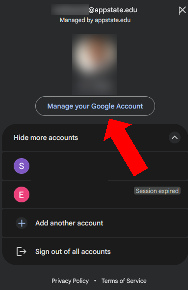
- Click on your account profile image icon in the top right-hand corner, then click on Manage your Google Account.
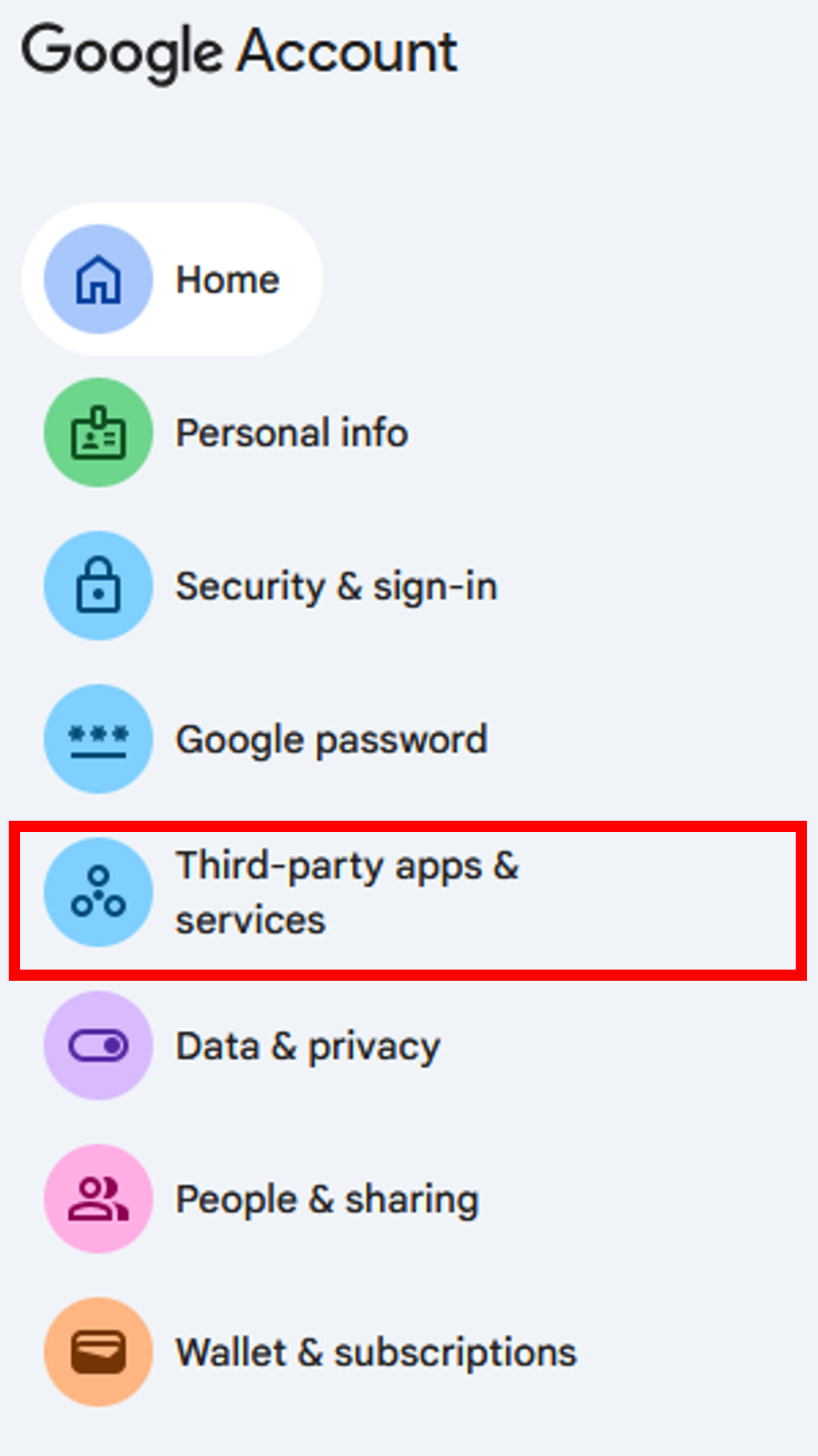
- Select the third-party apps & services menu from the sidebar.
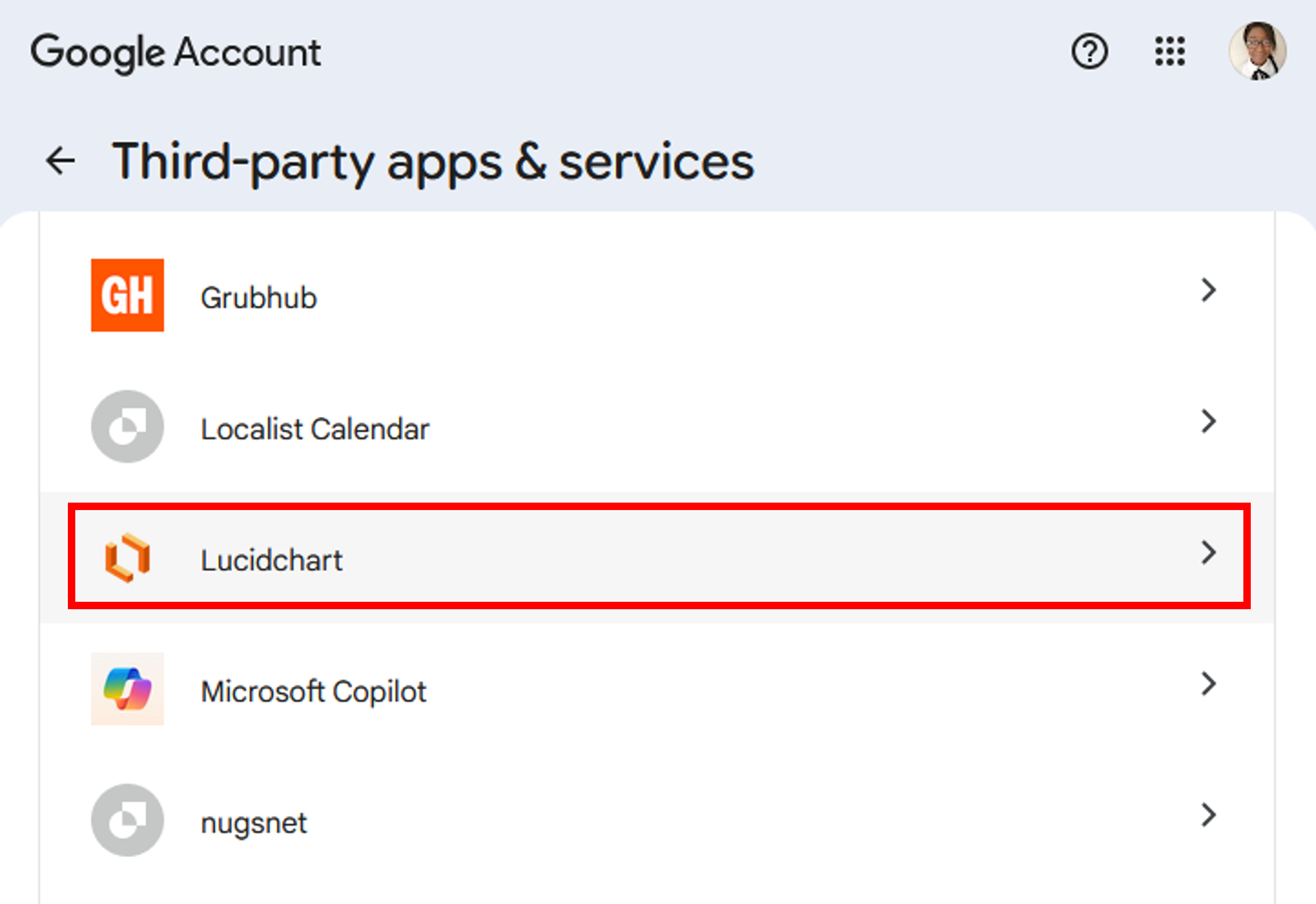
- Select the third-party app or service whose connection you want to review or remove by clicking the right-arrow
.
- To remove the connection, scroll down and click the right arrow next to Delete all connections you have with the application.

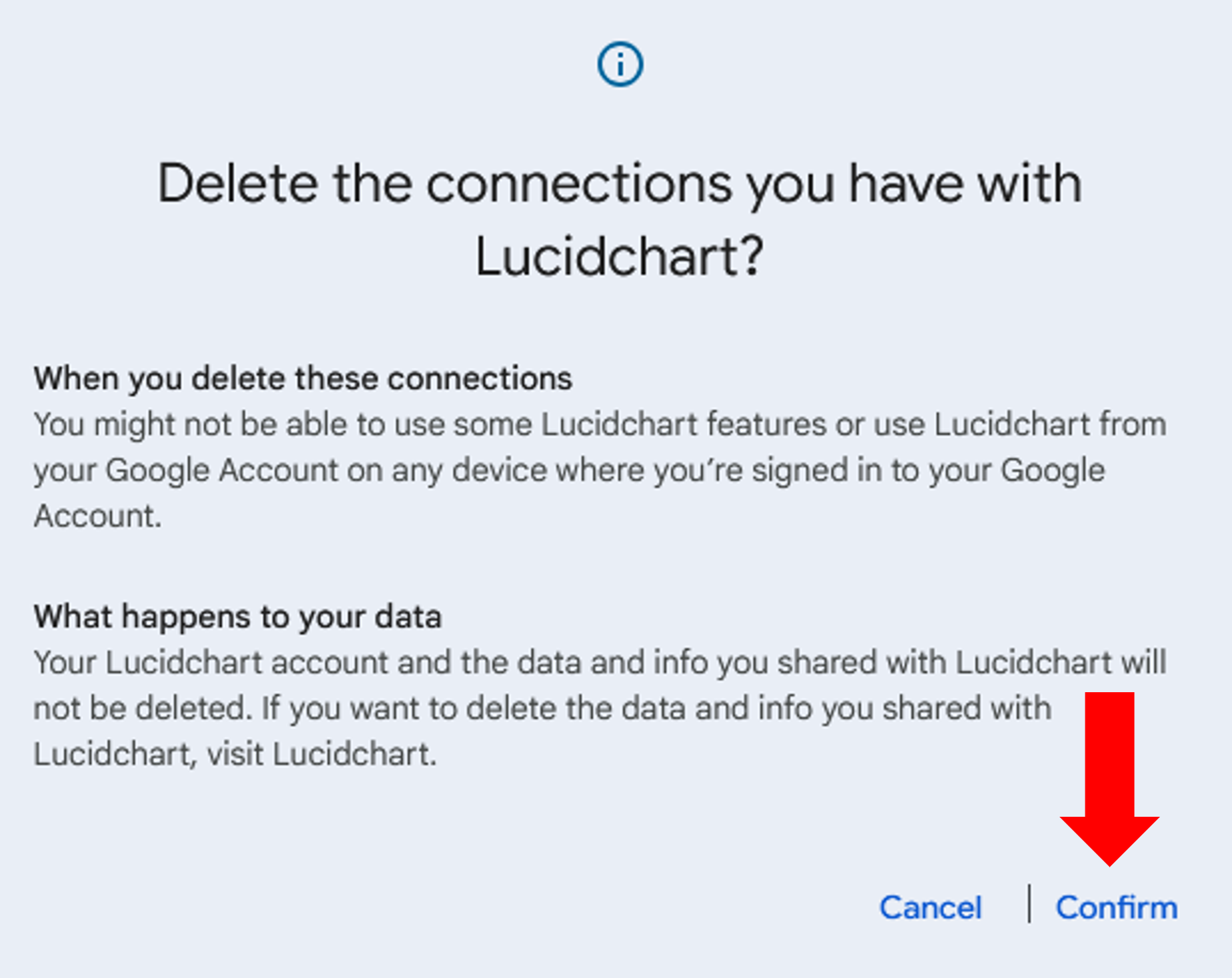
- Click Confirm to sever all connections to the third-party app or service.
Visit Google Help for more information on how to manage connections between your Google account & third parties.
Use Supported Tools
To ensure compliance with university policies and safeguard our community’s data, we strongly encourage the use of Zoom AI Companion for meeting transcription and summarization.
- For setup and use instructions, review our Knowledge Base article on Zoom AI Companion.
- For more on university-approved AI tools, visit ai.appstate.edu/tools.