Instructions for printing an unofficial transcript for students and former students.
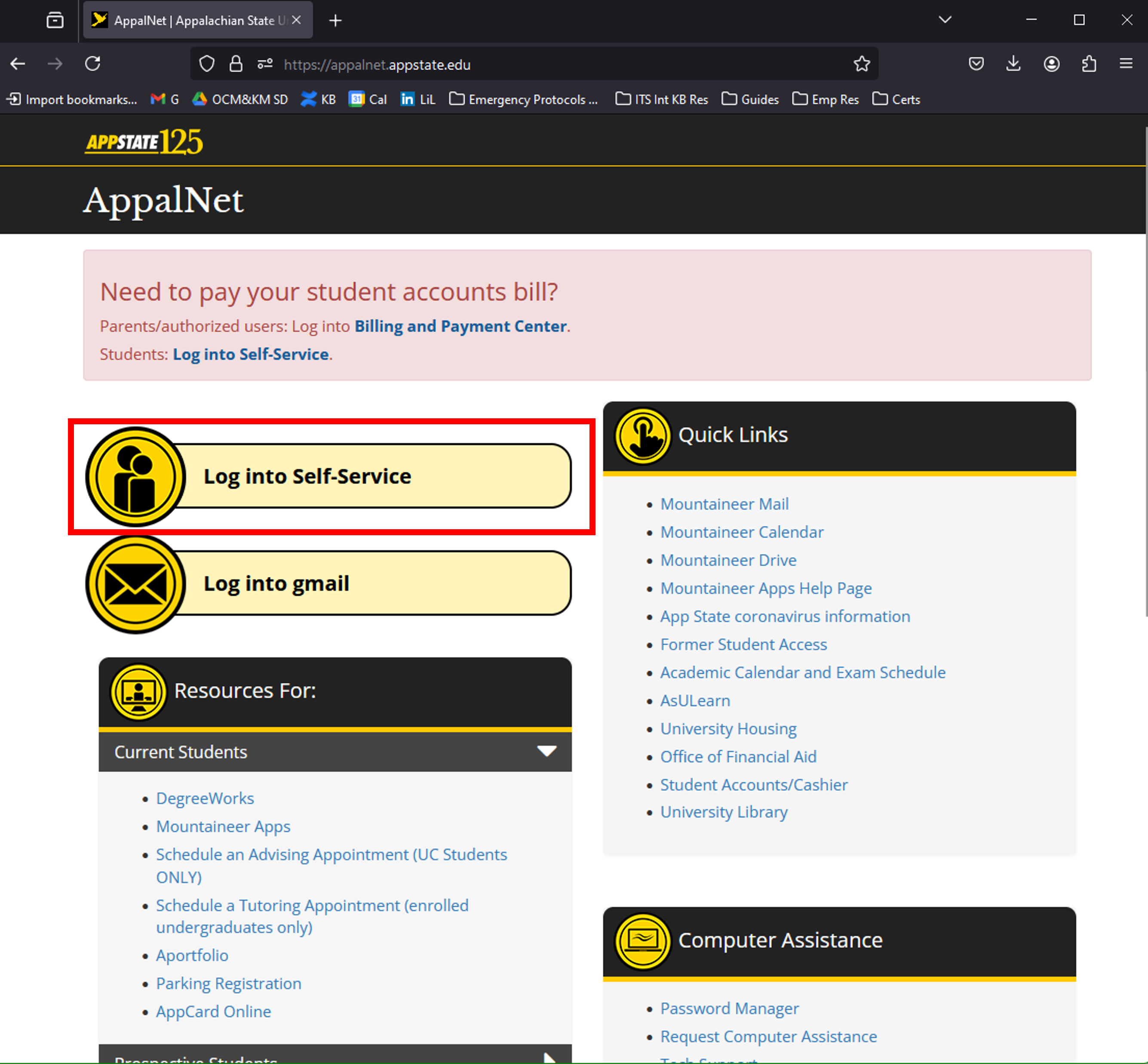
- Navigate to appalnet.appstate.edu, and log in to Self-Service.
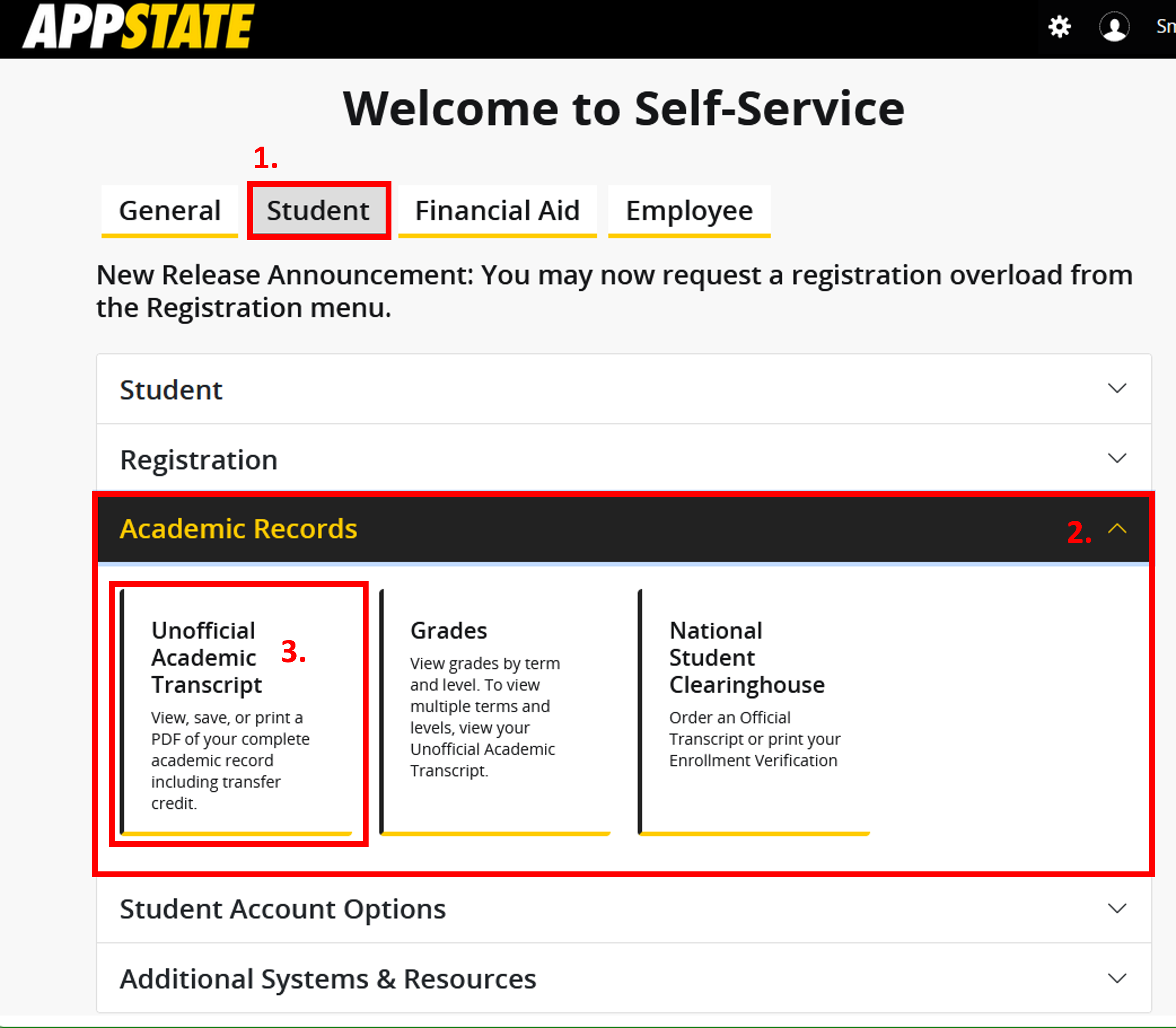
- Click on the Student tab, click on the Academic Records drop-down menu, and click on Unofficial Academic Transcript.
- From the drop-down menus, select Transcript Level (e.g. Undergraduate) and Transcript Type (Unofficial Self-Service). Click the Print button to print your transcript.
