The Google Gemini web application is an AI assistant that offers multimodal capabilities, meaning it can understand and generate text, images, audio, and code. It's designed to be an interactive AI assistant that can help with various tasks and is free and available to all faculty, staff, and students.
Protect Privacy and Ensure Data Security
Entering sensitive or confidential information into any AI chat interface is prohibited by the university.
Accessing Gemini
- Navigate to gemini.google.com and click sign in.
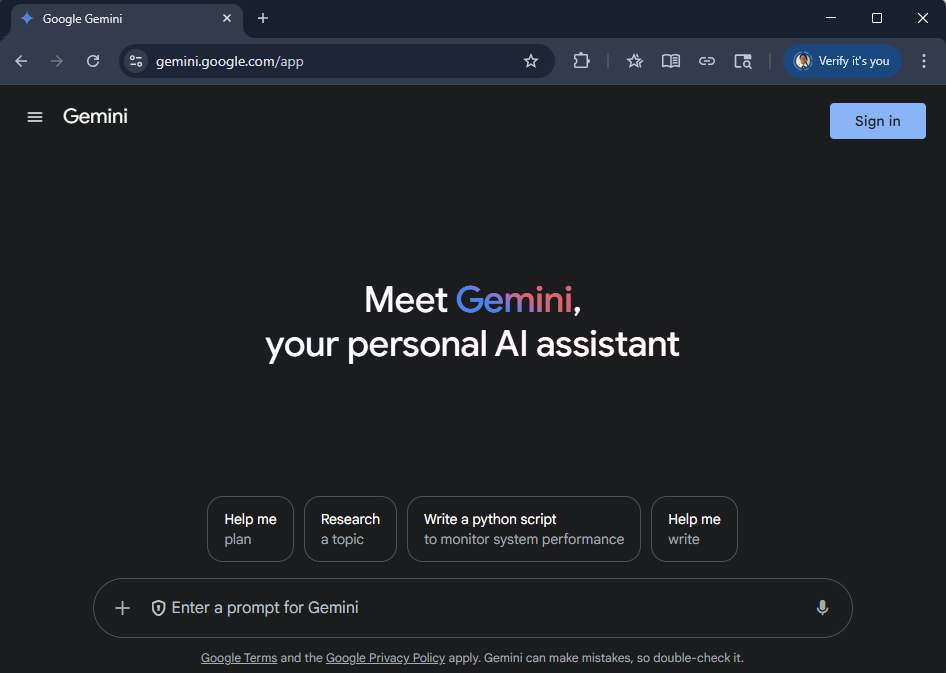
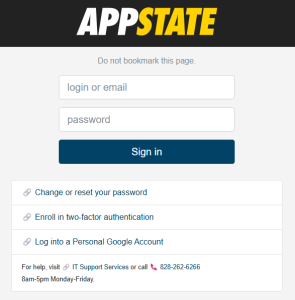
- Sign in using your App State email, then authenticate once you are redirected to the App State secure login.

- You'll see a Terms and Privacy statement informing you that, while signed in with your App State account, Gemini will not use your conversations to train its models and chat data sent to and from Gemini is encrypted.

- Once you are signed into Gemini with your App State account, you can begin using it.

Using Gemini
The Gemini interface provides a unified environment for interacting with the model, managing your work, and accessing various functionalities.
- Navigation sidebar - Start new chats, use Gems (customizable versions of Gemini), and see recent chats.
- Model Selector - Switch between different Gemini models.
- Profile - Make sure you are signed in with your App State account for privacy and security.
- Settings & Help - Change your theme and see activity.
- Image and Tools- Upload an image to your chat. Use the Tools selector to access Canvas, Guided Learning, and Image Creation with Imagen.
- Deep Research - Deep research is used to thoroughly explore complex topics by automatically browsing and synthesizing information from numerous online sources into a comprehensive report.
- Audio - Interact with Gemini using your voice, either by speaking your prompts and questions or by generating audio responses (like a podcast-style overview) from documents or research.

Resources
Academic Technologies
AI in Action: Getting Started with Google Gemini
LinkedIn Learning
Google Support
For more information, visit ai.appstate.edu.