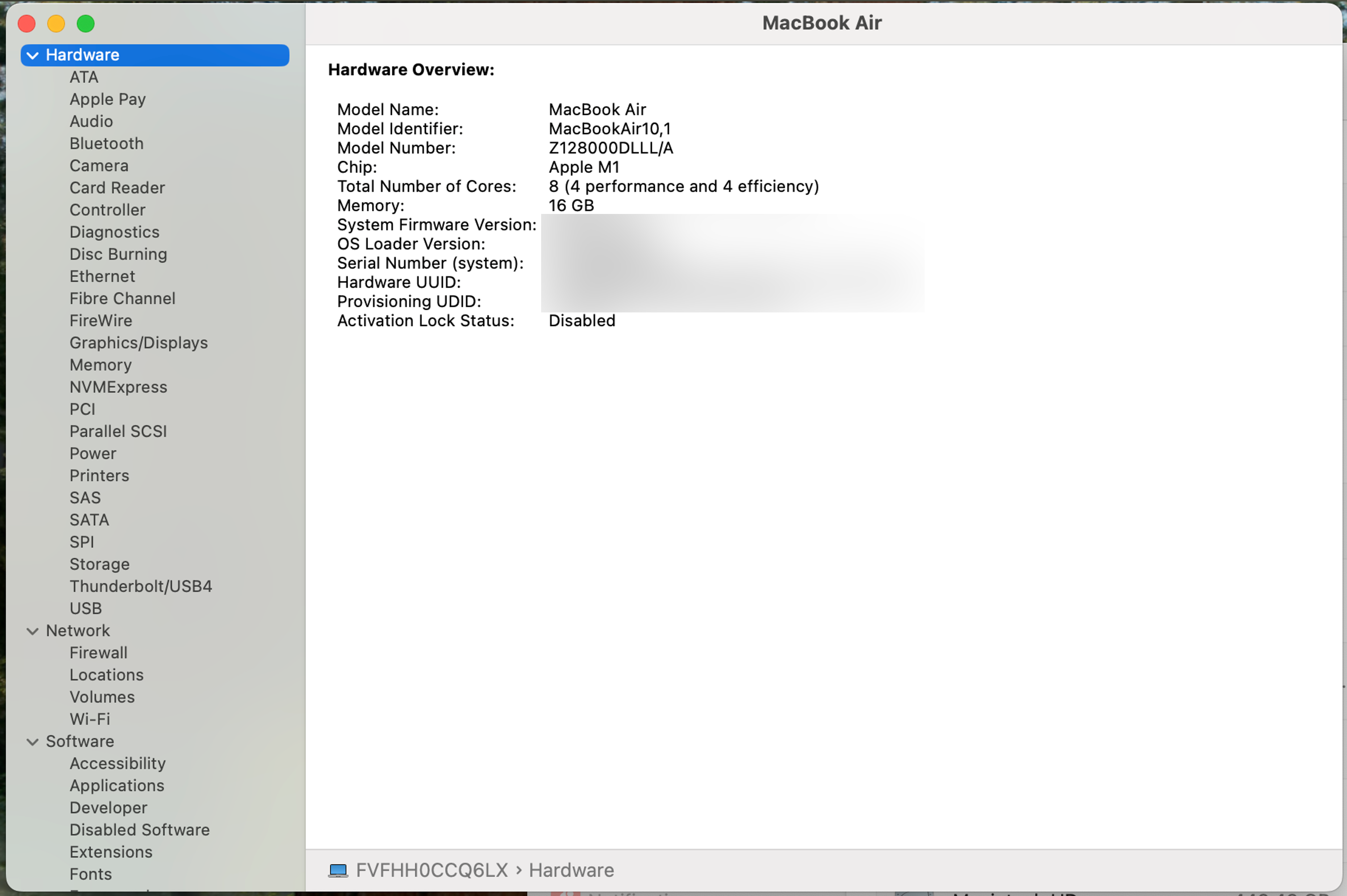
This will show you how to find important system information about your Mac, such as
- the Model
- Operating System
- Memory
- Serial Number
- and Network Information
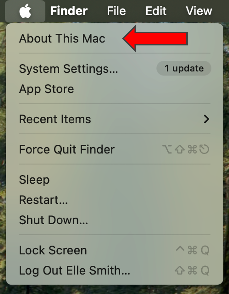
- Click on the Apple logo in the top left corner of the Menu Bar, then click on About this Mac.
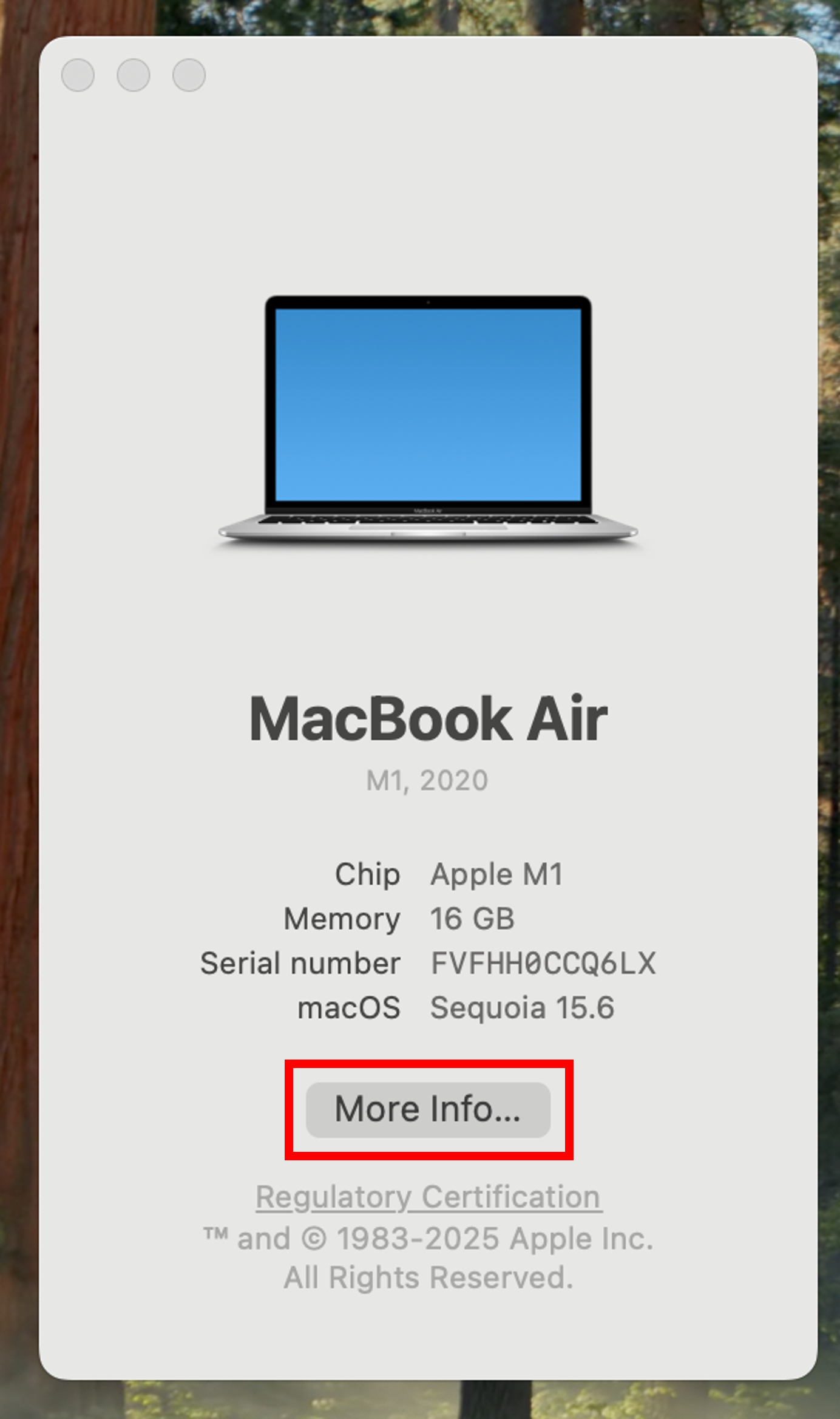
- This will open up a window with some basic information. Click more info... see more information about your device.
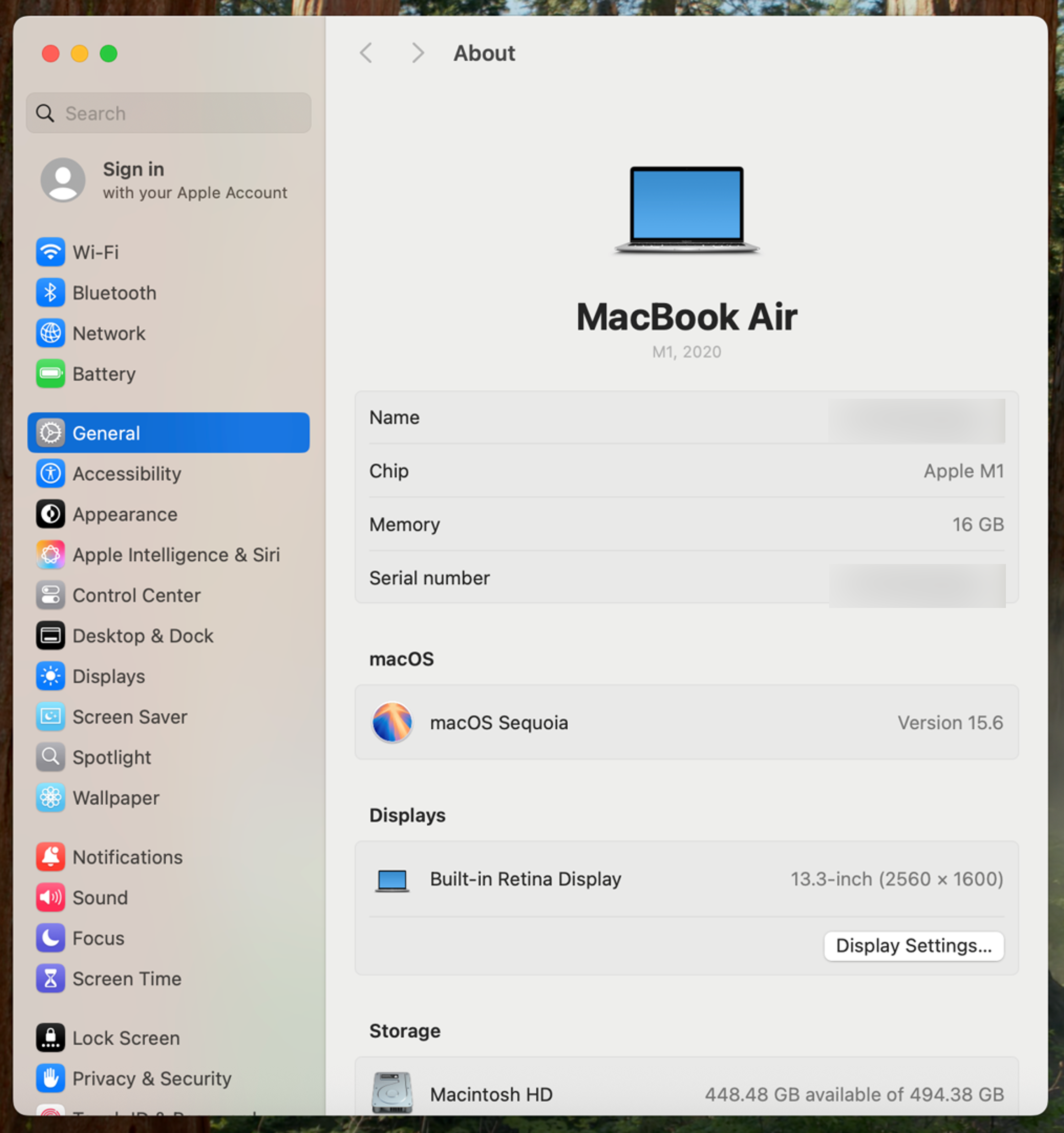
- To find comprehensive system information, scroll down and click System Report..., which will bring up a new window where you can find network information such as your IP Address and other useful information.